




Book tracking
Books A reading tracker that follows you page by page
Catalogie tracks what you are reading, what you finished and the to-be-read pile you keep adding to. Progress is the page you are actually on - or the percent, or the minute of the audiobook - statuses cover the books you paused and the ones you abandoned, and if a book is missing from the catalogue you can add it yourself.
Free to use, forever · Works on phone and desktop · Bring your history with you

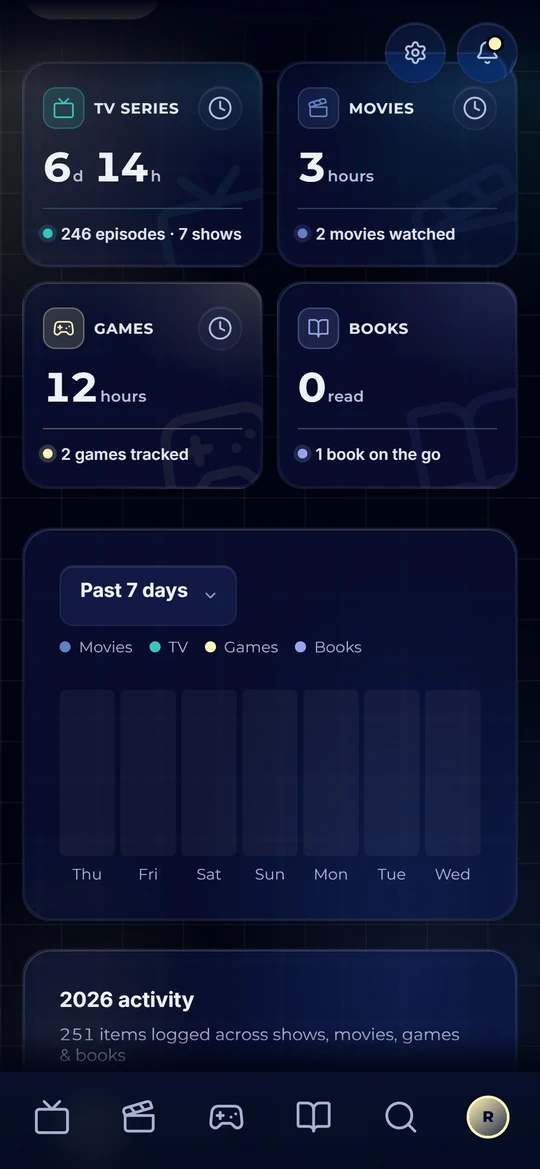
The reading life you keep meaning to keep
Reading is the one people most want a record of and least often have. The books blur together, the year ends, and the honest answer to "what did you read?" is four titles and a shrug - even though it was closer to twenty.
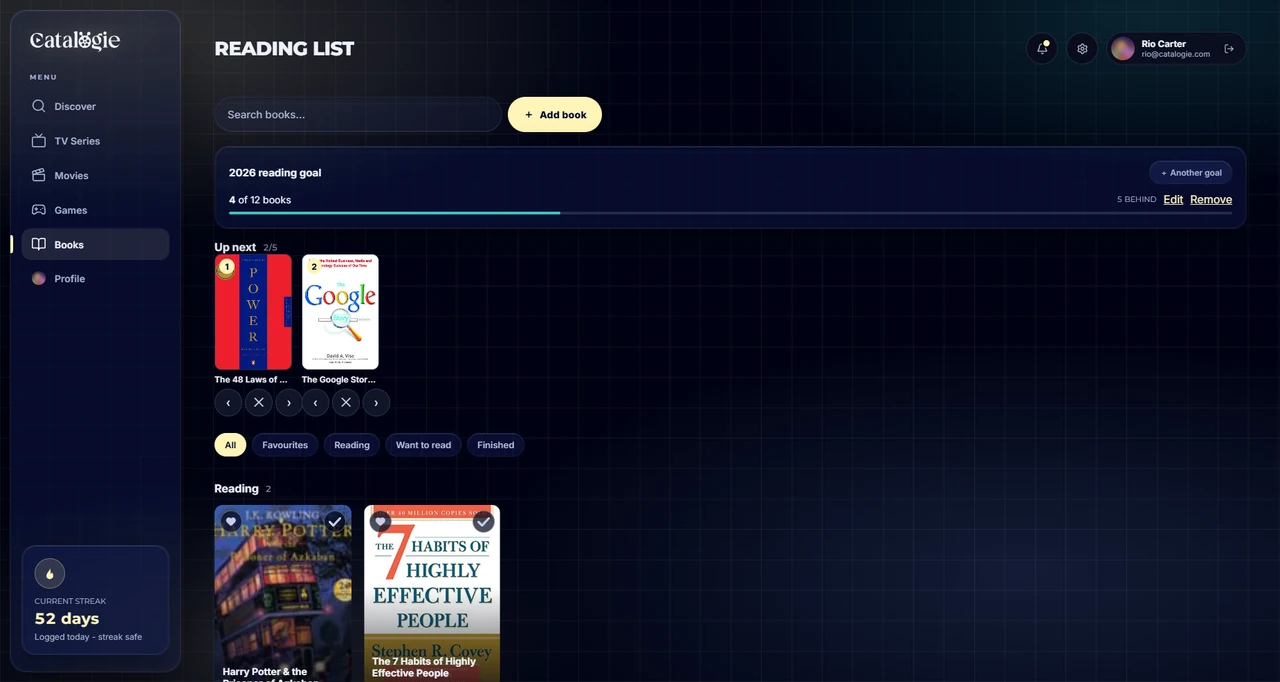
Catalogie tracks reading by the page. Note where you stopped and the book knows how far through you are, which is a far more useful thing than a shelf labelled "currently reading" holding six books you have not opened since March. Set the page, see the percentage, and pick the one you are genuinely closest to finishing.
The statuses are honest too. Reading, paused, want to read, finished - and stopped, for the ones you gave up on, because pretending otherwise is how a to-be-read pile becomes a source of guilt rather than a list. Change your mind and put a book back on the pile and your reading progress is kept; it is history, not a setting.
What you can track
Pages, percent or minutes
Record the page you stopped on, the percent your e-reader shows, or the minute of the audiobook - against your own copy's length - and see exactly how far through you are.
Reading, paused, want to read, finished
Plus stopped, for the ones you abandoned, with a place to say why. Honest statuses keep the to-be-read pile a list rather than an accusation.
Every read, kept
Read it again and the last read stays on record with its own dates, format and rating. Your reading log is a dated history you can edit, with a note on any session.
Add a book we do not have
Missing from the catalogue? Describe it once - title, author, year - and after a quick check it becomes a real entry everyone can use, with a note back to you when yours goes in.
Rate on your own scale
Five stars with halves or a ten-point scale, set separately for books - the scale that suits novels does not have to be the one you use for films.
A yearly reading goal
Set a target in books or pages and the Books tab shows how far along you are, and whether you are ahead or behind for the date.
Up next
Line up the five books you will read next, in order, so choosing the next one takes a moment rather than an evening.
Every edition in one stack
Search results stack every printing of a book into one card. Deal it out to pick the edition you actually read - cover, pages and year - with metadata and covers from Google Books.
Your reading year, counted
Books and pages finished, this month, this year and all time, broken down by genre, mood and format - plus your streak and a Yearly Wrap for any year.
How it works
- Stage 01
Find the book
Search over 2.4 million books and editions with covers and detail from Google Books - or add one yourself if it is missing.
- Stage 02
Note where you stopped
Update the page as you go. The percentage follows, and the book tells you how much is left.
- Stage 03
Finish more of what you start
Seeing you are 80 percent through something is usually all it takes. At year's end you have a real record instead of a shrug.
Bring your reading list with you
Years of reading history are exactly what nobody wants to retype. Import what you have and start from where you actually are.
- Import your library export from The StoryGraph
- Bring across what you have finished, what you are part-way through and the whole to-be-read pile
- See every row before anything is saved - what will be added, what matched the wrong title and what could not be placed - and overrule any of it
- Goodreads import is written, and switches on once a real export has been tested end to end
- Large imports keep running after you close the tab, and we email you when they finish
Book tracking questions
- Is the reading tracker free?
- Yes - Catalogie is free to use, forever. Every feature is unlocked for everyone, with no credit card, no trial clock and no expiry. Nothing about reading tracking sits behind a paid tier.
- Does it track pages or just whole books?
- Pages - or percent, or audiobook minutes, whichever suits the copy you have. Record where you stopped and Catalogie shows exactly how far through you are, so you can pick up the book you are closest to finishing rather than starting another one.
- What if a book is not in the catalogue?
- Add it yourself. Describe it once - title, subtitle, author, year - and after a quick check it becomes a real entry that everyone can use, and you get a note back when yours goes in. The catalogue grows from the people reading.
- What happens if I abandon a book?
- It has its own status, separate from paused and from finished. And if you move a book back to your want-to-read list, the reading progress you already made is kept rather than wiped - it is history, not a setting.
- Can I set a reading goal?
- Yes. Set a yearly goal in books or pages and the Books tab shows how far along you are and whether you are ahead or behind for the date. Your books, pages and reading streak are counted on the dashboard too, with a Yearly Wrap you can pull up for any year.
- Can I import my books from Goodreads or The StoryGraph?
- The StoryGraph, yes - import your library export, covering what you have finished, what you are part-way through and your whole to-be-read pile, and check every row before anything is saved. Goodreads import is written and switches on once a real export has been tested end to end.
- Is my reading list private?
- Private by default. Books have their own sharing toggle, separate from movies, TV and games, so you can keep your reading to yourself while sharing everything else, or share nothing at all.
- Does it track anything besides books?
- Yes. Movies, TV series and video games share the same library and dashboard, so your reading sits next to everything else you are getting through rather than in a separate app.


Start your reading record
Free to use, forever. Import your shelf and pick up on the page you are actually on.
Create your free account